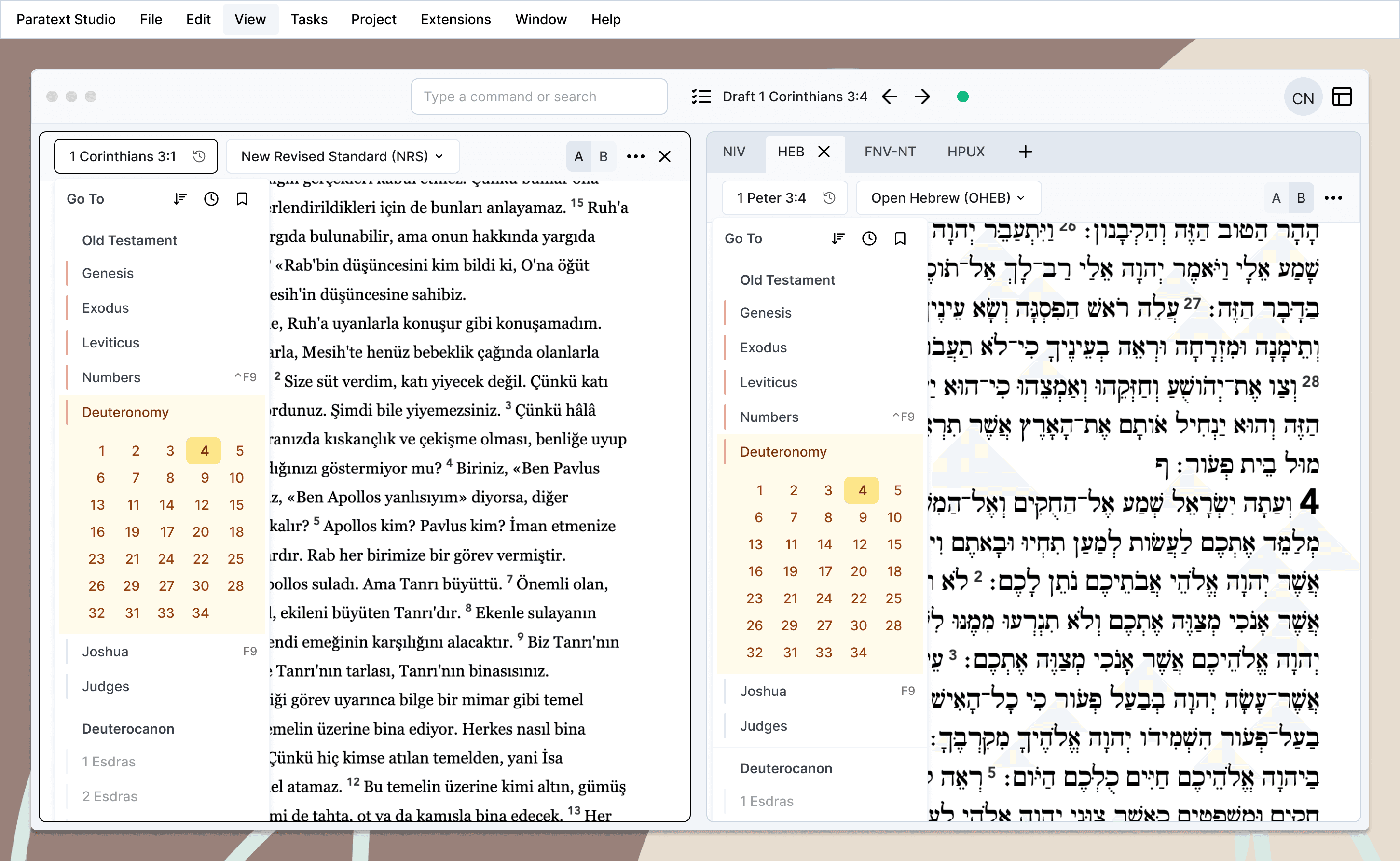
Paratext 10 Studio

Paratext 10 Studio

Modern Bible translation software that grows with your team

Modern Bible translation software that grows with your team

Modern Bible translation software that grows with your team

Try it for yourself

Try it for yourself

Try it for yourself

A collaborative environment for translating scripture with quality and efficiency

A collaborative environment for translating scripture with quality and efficiency

A collaborative environment for translating scripture with quality and efficiency

Special Instructions

Special Instructions

Special Instructions

Run on macOS

If you download and run the ARM release of Paratext 10 Studio from a computer running Apple Silicon, you will likely encounter a warning from Apple's Gatekeeper stating that "Paratext 10 Studio is damaged and can't be opened. You should move it to the Trash." or something very similar:
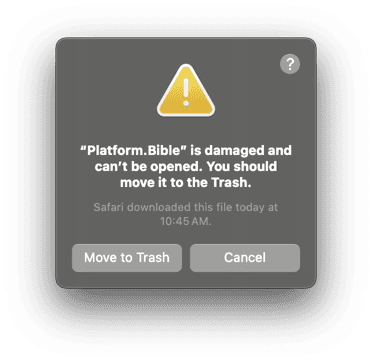
Unfortunately, this is the message Apple chose to display for ARM applications that are not signed (including Paratext 10 Studio since we have not yet set up application code signing on Mac).

If you trust Paratext 10 Studio and would like to run it even though it is not code signed, you will need to run the following terminal command every time you install a new version of Paratext 10 Studio:

xattr -c "/Applications/Paratext 10 Studio.app"


xattr -c clears all attributes on the provided file. Running this command removes all attributes on the currently-installed Paratext 10 Studio application file including the quarantine flag Gatekeeper puts on unsigned ARM applications downloaded from the internet.


Unfortunately, this is the message Apple chose to display for ARM applications that are not signed (including Paratext 10 Studio since we have not yet set up application code signing on Mac).

If you trust Paratext 10 Studio and would like to run it even though it is not code signed, you will need to run the following terminal command every time you install a new version of Paratext 10 Studio:

xattr -c "/Applications/Paratext 10 Studio.app"


xattr -c clears all attributes on the provided file. Running this command removes all attributes on the currently-installed Paratext 10 Studio application file including the quarantine flag Gatekeeper puts on unsigned ARM applications downloaded from the internet.


Send/Receive on macOS

Mac users will need to complete some special steps to get Send/Receive working on the Developer Preview.

View instructions

© SIL Global and United Bible Societies, 2024

Interface images are design mockups, not screenshots.

© SIL Global and United Bible Societies, 2024

Interface images are design mockups, not screenshots.

© SIL Global and United Bible Societies, 2024

Interface images are design mockups, not screenshots.